

Excel macros specialist – automate your work in Excel

Do you often work in Excel and waste time on repetitive tasks such as sorting, copying, creating reports, or processing data? Then a custom Excel macro is the ideal solution. With a macro, you automate repetitive actions, allowing you to work faster, make fewer mistakes, and free up time for more important tasks.

Contact me
What is an Excel macro?

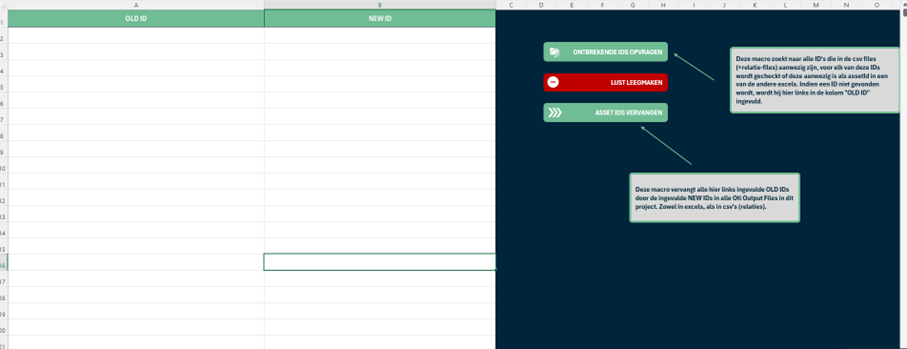
A macro is a sequence of programmed commands (in VBA) that automatically executes a series of steps in Excel. For example, automatically formatting a report, importing data from another source, or checking for errors – all with a single click.

You reduce the risk of errors caused by manual work

You save valuable time every day

You improve the efficiency and reliability of your Excel files

Want to discuss your project?

You can book a meeting with me by clicking the link below. Do you want to send me a message? That's possible with this link.

Book a meeting

Frequently Asked Questions

Here are some common questions. Do you have another question? Feel free to contact me.

Do I need to know programming to use macros?
No, not at all. I write the macros for you and make sure they are easy to use – often with a button or a menu in your Excel file.
What types of tasks can be automated with macros?
For example: importing data, generating reports, formatting tables, filtering data, applying calculation rules, sending emails, or merging multiple files. Almost any manual task in Excel can be sped up.
Do macros work on Windows and Mac?
Macros work best on Windows, as full VBA support is provided there. On Mac, some macros may have limited functionality. I can review your situation and advise on what’s possible.
How much does creating an Excel macro cost?
It depends on the complexity and scope of the task. Small automations can be done quickly. After a brief consultation, I’ll provide a clear and personalized estimate with no surprises.